
Close Menu
ParametricParametric

    Subscribe to Updates

    Get the latest creative news from FooBar about art, design and business.

    What's Hot

    tetsstststtt

    July 23, 2026

    Soundscape in Architecture: Designing Through Sound

    July 23, 2026

    MVRDV Wins Shift Embassy Competition with Rotterdam ROCKS!

    July 23, 2026
    Facebook X (Twitter) Instagram
    Facebook X (Twitter) Instagram Pinterest YouTube LinkedIn TikTok
    ParametricParametric
    Courses
    • Articles
      • Archipreneurs
      • Technology
      • BIM / AEC
      • 3D Printing
      • Architects
      • Artificial Intelligence
      • Robotics
      • Sustainability
      • Tools
      • Case Study
      • City Guide
      • Opinions
      • Interviews
      • Architecture & Design
        • Urbanism
        • Metaverse
        • Space Architecture
        • Geography
    • Projects
      • Architecture
      • Interior
      • Design
        • Fashion
        • Pavilion
        • Installation
        • Digital Art
        • Landscape Design
      • Products
    • Workshops
    • Ads
    • Architecture News
    • Digital Members
    • Books
    • CDNext
    • CDNEXT Recordings
    • Competitions
    • Events
    • PA Talks
    • Jobs
    • landscape
    • Landscape Architecture
    • PA Quotes
    • PAACADEMY
    • podcasts
    • memorial
    • Studio Recordings
    • Studio Workshops
    • Uncategorized
    • Videos
    ParametricParametric
    Home»Articles»Creating AI images with Midjourney: A step-by-step guide
    Articles

    Creating AI images with Midjourney: A step-by-step guide

    adminparametBy adminparametJuly 23, 202603 Mins Read0 Views
    Facebook Twitter Pinterest LinkedIn Tumblr WhatsApp Reddit Email
    Share
    Facebook Twitter LinkedIn Pinterest Email
    © Arturo Tedeschi

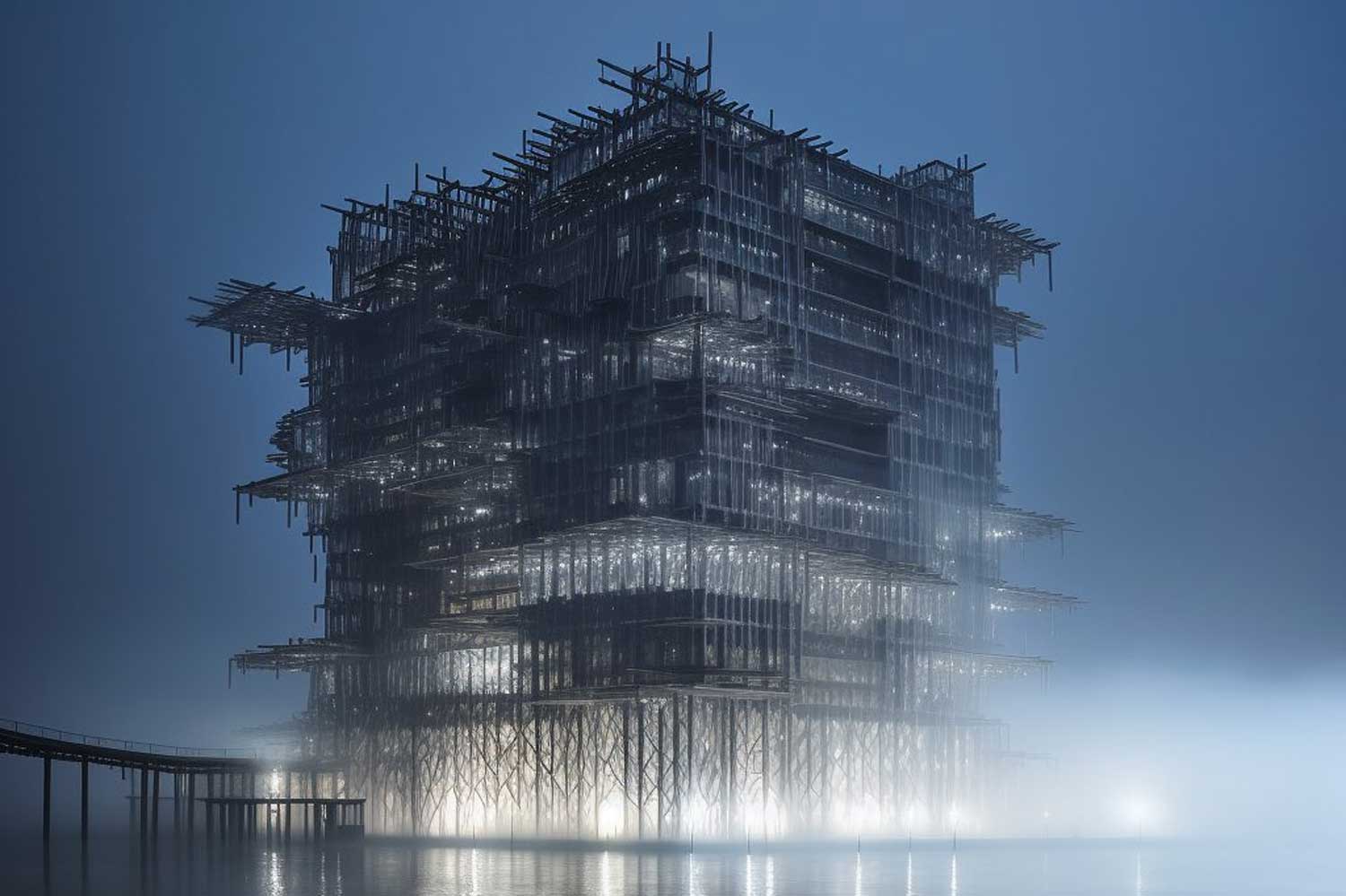
    Do you want to make gorgeous AI-generated images but don’t know where to begin? You can quickly create outstanding AI art using your own images and a range of styles utilizing Midjourney. We’ll guide you on how to get started with Midjourney and generate AI images in only a few clicks in this step-by-step guide. Also, here is a 15 AI image generator alternative you should check.

    Generally, if you are a starter you can use this free tool in their public Discord server. The downside with this is it’s crowded and hundreds of prompts are being written in seconds and you may lose your prompt. You will have to scroll up and down to find your prompt. It can be annoying. If you don’t want to deal with this and have your own space you can subscribe to Midjourney and have a private chatbot where it will be you and only you chatting with the bot to generate your artwork.

    If you are looking for a more detailed guide for using Midjourney and its commands, here it is.

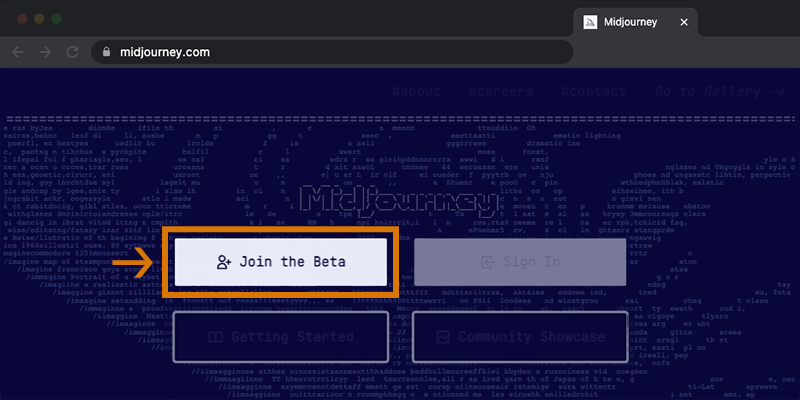
    1. Join the Midjourney Discord server by going to Midjourney.com and selecting “Join the Beta,” or by going directly to the Midjourney Discord server. Before joining, you must have a Discord account.
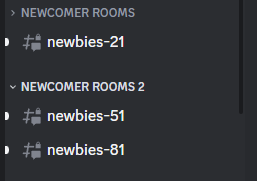
    2. After you joined the Discord server, you should find a newbie channel on the Midjourney Official Server, and follow the instructions on where and how to use the bot.
    Midjourney

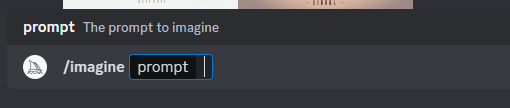
    3. Use the /imagine command to generate an image from a short text description (prompt). Type /imagine prompt: or select the /imagine command from the slash commands pop-up. Type a description of the image you want to create in the prompt field. Click return to send your message.

    How to get the best result in DALL-E 2? Step-by-step guide
    Midjourney

    4. Choose whether you want to upload an image or use one of the preloaded images. If you’re uploading your own image, select the image file from your computer and click on the “Upload” button.
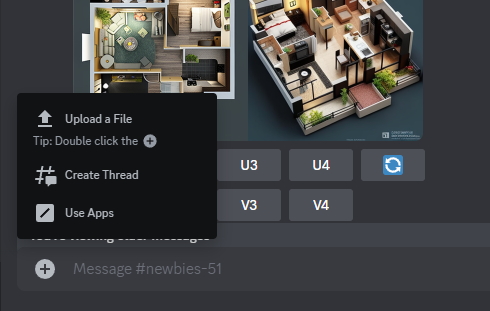
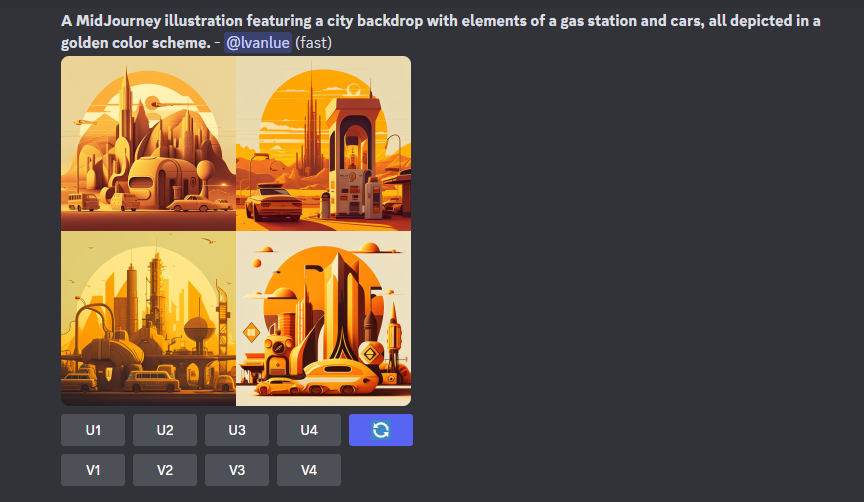
    5. Wait for the Midjourney Bot to process the job, which takes about a minute. The bot will generate four image options.
    Midjourney

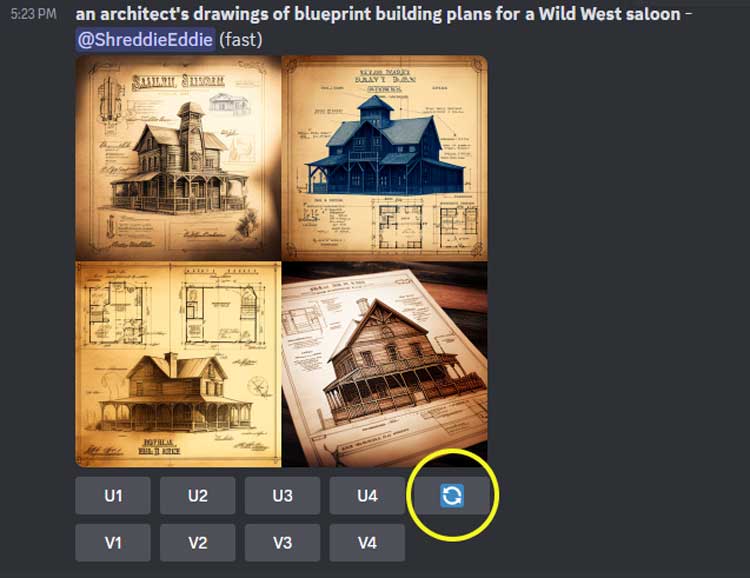
    6. Upscale or create variations of the chosen image by using the U and V buttons. The ???? button can be used to rerun the original prompt and produce a new grid of images.
    Midjourney

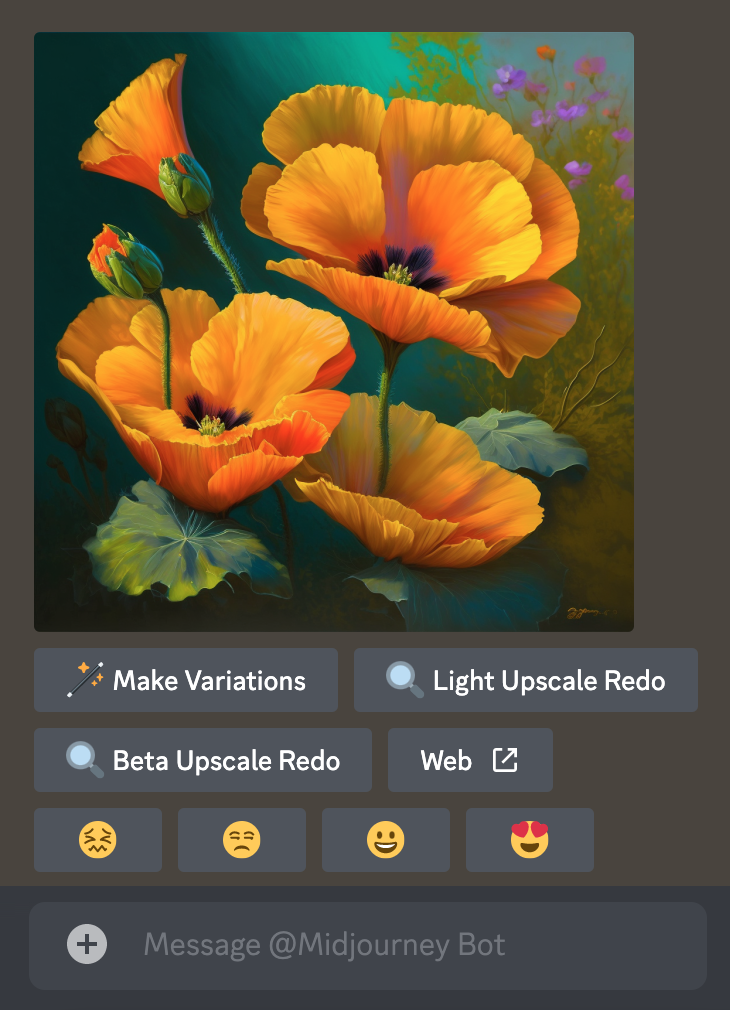
    7. Rate the images using the smiley buttons to give feedback and receive rewards.
    Midjourney

    8. Finally, save your image by clicking on it to open it to full size, and then right-click and choose “Save image.”

    Also, if you want to access the Midjourney member gallery, special channel, commercial usage, and more, you can subscribe to a plan.

    Check PAACADEMY’s workshops to learn more about how architects use artificial intelligence tools such as Midjourney to design.

    Creative Artifacts – Studio Arturo Tedeschi
    Spatial Effects with Midjourney / Studio Joshua Vermillion
    ai architecture ai architecture generator AI in Architecture artificial intelligence GEN Midjourney midjourney ai midjourney architecture midjourney artwork midjourney design step-by-step guide
    Share. Facebook Twitter Pinterest LinkedIn Tumblr Email
    adminparamet
    • Website

    Related Posts

    15 Picturesque Neighborhoods Around the World Every Design Lover Should Visit

    July 23, 2026

    This Robotic Clothing Wraps Around You in Just 10 Seconds

    July 23, 2026

    Where Did the Women Go? The Hidden Disappearance of Female Architects After Graduation

    July 23, 2026
    Add A Comment
    Leave A Reply Cancel Reply

    Demo
    Top Posts

    Design Reviews Are Moving Beyond Still Images and Animations. D5 3.1 Shows What’s Next.

    July 23, 20268 Views

    tetsstststtt

    July 23, 20264 Views

    World Architecture Festival Unveils 2026 Shortlist Featuring 416 Projects Worldwide

    July 23, 20264 Views

    15 Picturesque Neighborhoods Around the World Every Design Lover Should Visit

    July 23, 20263 Views
    Don't Miss

    tetsstststtt

    By adminparametJuly 23, 2026

    Soundscape in Architecture: Designing Through Sound

    July 23, 2026

    MVRDV Wins Shift Embassy Competition with Rotterdam ROCKS!

    July 23, 2026

    Shanghai’s Pollinator Machine Installation Brings Ancient Evolution to Life

    July 23, 2026
    Stay In Touch
    • Facebook
    • Twitter
    • Pinterest
    • Instagram
    • YouTube
    • Vimeo

    Subscribe to Updates

    Get the latest creative news from SmartMag about art & design.

    Demo
    About Us
    About Us

    Your source for the lifestyle news. This demo is crafted specifically to exhibit the use of the theme as a lifestyle site. Visit our main page for more demos.

    We're accepting new partnerships right now.

    Email Us: [email protected]
    Contact: +1-320-0123-451

    Our Picks

    tetsstststtt

    July 23, 2026

    Soundscape in Architecture: Designing Through Sound

    July 23, 2026

    MVRDV Wins Shift Embassy Competition with Rotterdam ROCKS!

    July 23, 2026
    Most Popular

    Design Reviews Are Moving Beyond Still Images and Animations. D5 3.1 Shows What’s Next.

    July 23, 20268 Views

    tetsstststtt

    July 23, 20264 Views

    World Architecture Festival Unveils 2026 Shortlist Featuring 416 Projects Worldwide

    July 23, 20264 Views
    Facebook X (Twitter) Instagram Pinterest YouTube LinkedIn TikTok
    • Home
    • Buy Now
    © 2026 ParametricArchitecture. All Rights Reserved. By utilizing this website, you are consenting to our User Agreement, Privacy Policy, and Cookie Statement. In compliance with the privacy laws of Turkey and the United States, we recognize and respect your rights. Please be aware that we may receive commissions for products bought through our affiliate links. Unauthorized reproduction, distribution, or transmission of any material from this site is strictly forbidden without prior written permission from ParametricArchitecture.

    Type above and press Enter to search. Press Esc to cancel.

    Sign In or Register

    Welcome Back!

    Login to your account below.

    Lost password?