

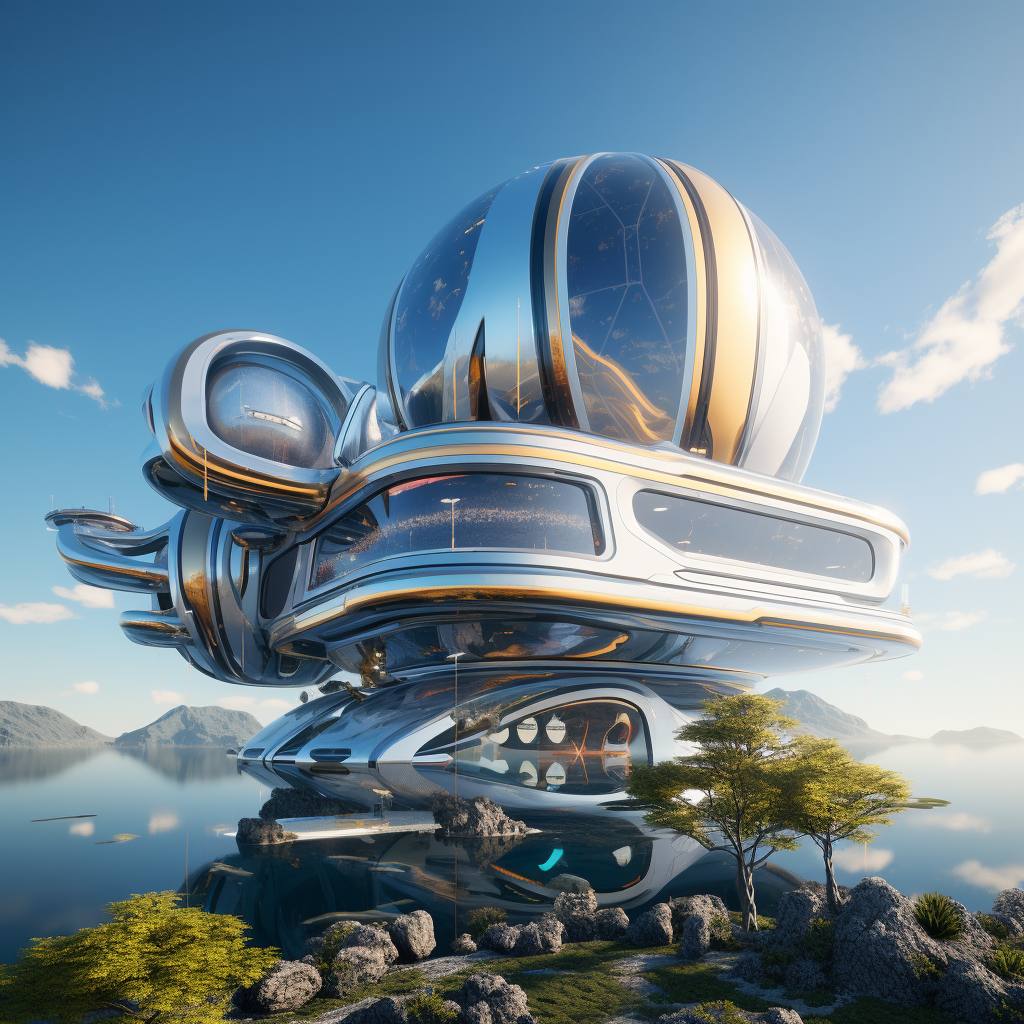
Close Menu
ParametricParametric

    Subscribe to Updates

    Get the latest creative news from FooBar about art, design and business.

    What's Hot

    tetsstststtt

    July 23, 2026

    Soundscape in Architecture: Designing Through Sound

    July 23, 2026

    MVRDV Wins Shift Embassy Competition with Rotterdam ROCKS!

    July 23, 2026
    Facebook X (Twitter) Instagram
    Facebook X (Twitter) Instagram Pinterest YouTube LinkedIn TikTok
    ParametricParametric
    Courses
    • Home
    • Features
      • Typography
      • Contact
      • View All On Demos
    • Typography
    • Buy Now
    ParametricParametric
    Home»Architecture News»Midjourney released new ‘panning’ command
    Architecture News

    Midjourney released new ‘panning’ command

    adminparametBy adminparametJuly 23, 202602 Mins Read0 Views
    Facebook Twitter Pinterest LinkedIn Tumblr WhatsApp Reddit Email
    Share
    Facebook Twitter LinkedIn Pinterest Email
    panning

    Midjourney released panning command, and it’s quite fascinating. This command allows images to be stretched in four directions – right, left, up, and down. It almost feels like an attempt to fill in the gaps of a 360-degree scene.

    Additionally, in Midjourney 5.2, the Zoom Out tool lets you expand the picture beyond its original dimensions. Notably, the Pan feature offers the flexibility to extend the image in any direction.

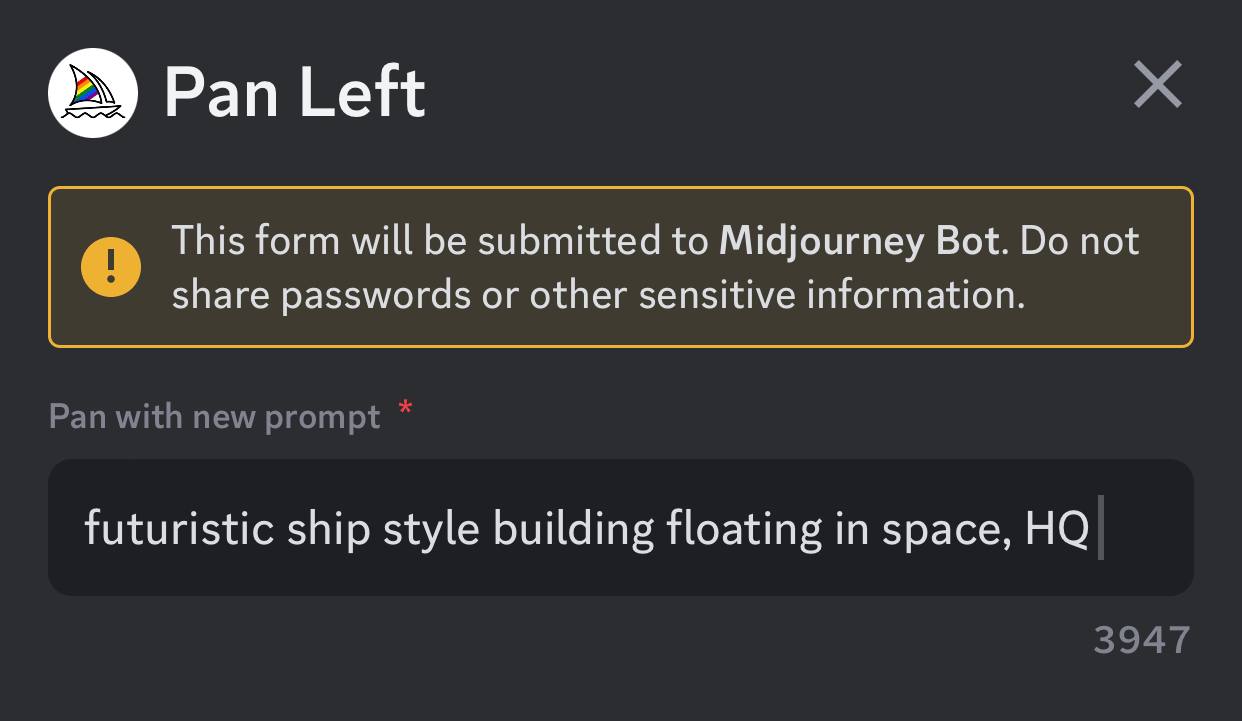
    The “Panning” feature is really simple and similar to DALLE-2’s extend feature. After upscaling one of your generations, you will notice the appearance of four new buttons underneath; when you click on them, a new window will open for a prompt. These buttons allow you to expand the image in whichever direction you desire.

    panning
    There will be four buttons visible under the image you have generated.
    panning
    Once you click on one of the buttons, a new window will open for adding a new prompt.

    Midjourney’s Zoom Out tool expands the original image by including additional objects and features, similar to outpainting in many ways. However, unlike outpainting tools such as DALL-E or Photoshop, you cannot zoom out of photographs stored on your computer using the Zoom Out tool.

    There are a few downsides to this feature. Firstly, it can only be utilized on images created through Midjourney. Additionally, you are limited to panning on a single plane, either horizontally or vertically. Lastly, if you zoom out on a panned image, its resolution will return to the default resolution of Midjourney, which is 1024 x 1024 pixels for a 1:1 aspect ratio.

    Here we’ll provide a detailed guide to writing prompts for Midjourney.
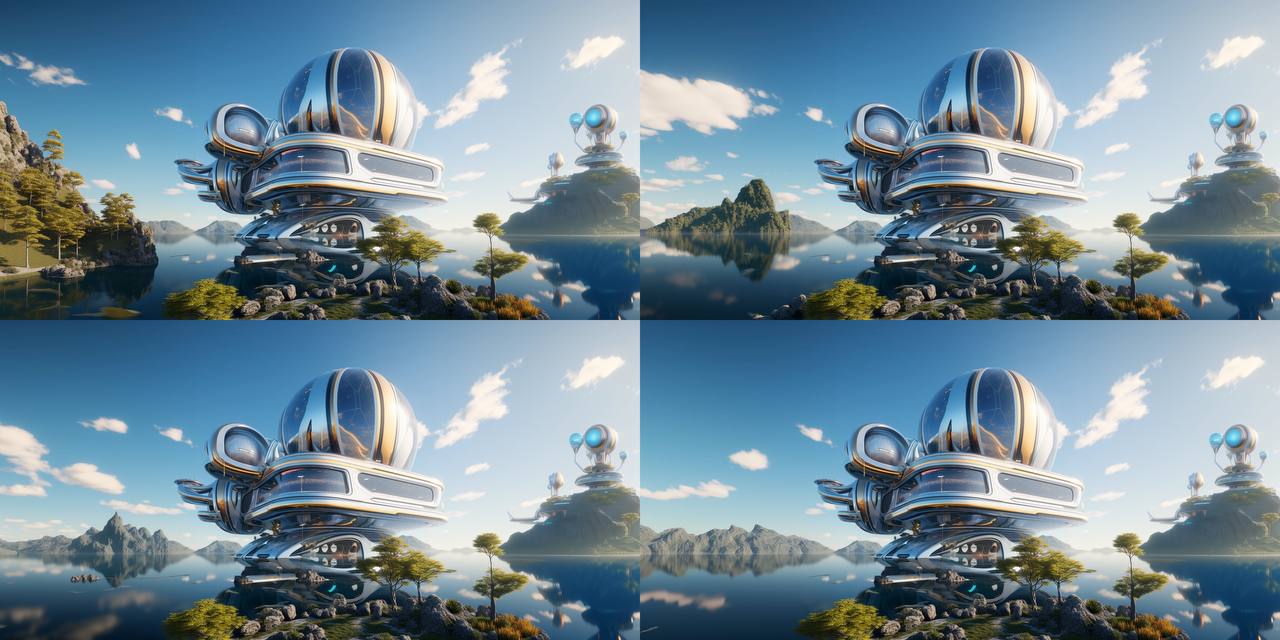
    Outcome – These are the panned images generated by the author

    Join the Artificial Intelligence Bundle workshop to unlock the secrets of prompt crafting with a diverse group of instructors. In Carlos Banon’s Taking Control 2.0: Midjourney x ControlNet, Shail Patel’s Prompt Intelligence, and Hassan Ragab’s AI Conceptual Architecture 3.0 will comprehensively explore new techniques in Midjourney, focusing on different architecture and design concepts.

    ai architecture AI in Architecture artificial intelligence command GEN Midjourney Midjourney 5.2 midjourney ai midjourney architecture midjourney artwork midjourney design panning
    Share. Facebook Twitter Pinterest LinkedIn Tumblr Email
    adminparamet
    • Website

    Related Posts

    MVRDV Designs Urban Revivo’s Beijing Flagship Store in Sanlitun

    July 23, 2026

    Morandi Bridge Collapse Ex-CEO Sentenced to 12 Years

    July 23, 2026

    MVRDV Wins Shift Embassy Competition with Rotterdam ROCKS!

    July 23, 2026
    Add A Comment
    Leave A Reply Cancel Reply

    Demo
    Top Posts

    Design Reviews Are Moving Beyond Still Images and Animations. D5 3.1 Shows What’s Next.

    July 23, 20268 Views

    15 Picturesque Neighborhoods Around the World Every Design Lover Should Visit

    July 23, 20262 Views

    tetsstststtt

    July 23, 20261 Views

    MVRDV Designs Urban Revivo’s Beijing Flagship Store in Sanlitun

    July 23, 20261 Views
    Don't Miss

    tetsstststtt

    By adminparametJuly 23, 2026

    Soundscape in Architecture: Designing Through Sound

    July 23, 2026

    MVRDV Wins Shift Embassy Competition with Rotterdam ROCKS!

    July 23, 2026

    Shanghai’s Pollinator Machine Installation Brings Ancient Evolution to Life

    July 23, 2026
    Stay In Touch
    • Facebook
    • Twitter
    • Pinterest
    • Instagram
    • YouTube
    • Vimeo

    Subscribe to Updates

    Get the latest creative news from SmartMag about art & design.

    Demo
    About Us
    About Us

    Your source for the lifestyle news. This demo is crafted specifically to exhibit the use of the theme as a lifestyle site. Visit our main page for more demos.

    We're accepting new partnerships right now.

    Email Us: [email protected]
    Contact: +1-320-0123-451

    Our Picks

    tetsstststtt

    July 23, 2026

    Soundscape in Architecture: Designing Through Sound

    July 23, 2026

    MVRDV Wins Shift Embassy Competition with Rotterdam ROCKS!

    July 23, 2026
    Most Popular

    Design Reviews Are Moving Beyond Still Images and Animations. D5 3.1 Shows What’s Next.

    July 23, 20268 Views

    15 Picturesque Neighborhoods Around the World Every Design Lover Should Visit

    July 23, 20262 Views

    tetsstststtt

    July 23, 20261 Views
    Facebook X (Twitter) Instagram Pinterest YouTube LinkedIn TikTok
    • Home
    • Buy Now
    © 2026 ParametricArchitecture. All Rights Reserved. By utilizing this website, you are consenting to our User Agreement, Privacy Policy, and Cookie Statement. In compliance with the privacy laws of Turkey and the United States, we recognize and respect your rights. Please be aware that we may receive commissions for products bought through our affiliate links. Unauthorized reproduction, distribution, or transmission of any material from this site is strictly forbidden without prior written permission from ParametricArchitecture.

    Type above and press Enter to search. Press Esc to cancel.

    Sign In or Register

    Welcome Back!

    Login to your account below.

    Lost password?