

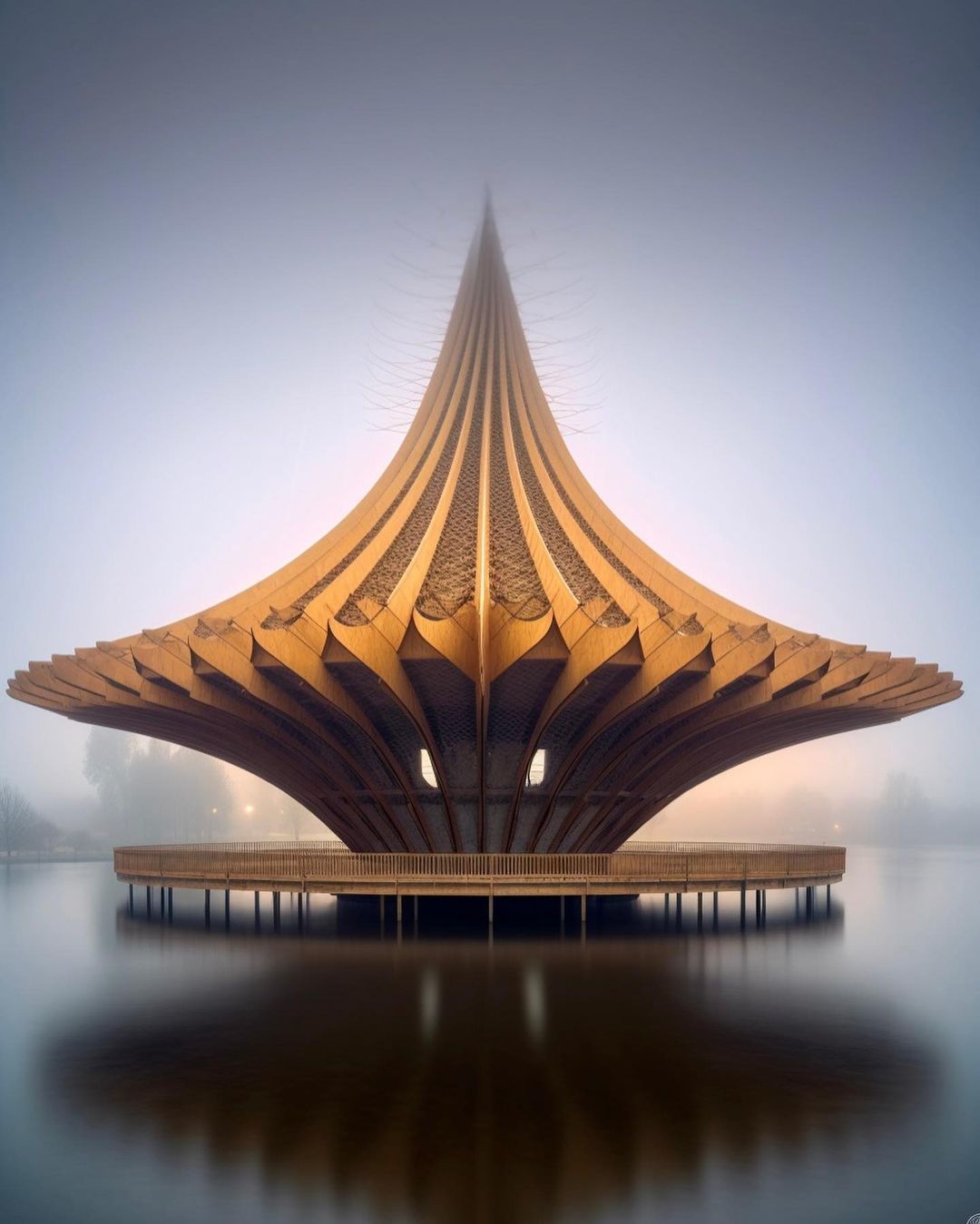
Close Menu
ParametricParametric

    Subscribe to Updates

    Get the latest creative news from FooBar about art, design and business.

    What's Hot

    tetsstststtt

    July 23, 2026

    Soundscape in Architecture: Designing Through Sound

    July 23, 2026

    MVRDV Wins Shift Embassy Competition with Rotterdam ROCKS!

    July 23, 2026
    Facebook X (Twitter) Instagram
    Facebook X (Twitter) Instagram Pinterest YouTube LinkedIn TikTok
    ParametricParametric
    Courses
    • Articles
      • Archipreneurs
      • Technology
      • BIM / AEC
      • 3D Printing
      • Architects
      • Artificial Intelligence
      • Robotics
      • Sustainability
      • Tools
      • Case Study
      • City Guide
      • Opinions
      • Interviews
      • Architecture & Design
        • Urbanism
        • Metaverse
        • Space Architecture
        • Geography
    • Projects
      • Architecture
      • Interior
      • Design
        • Fashion
        • Pavilion
        • Installation
        • Digital Art
        • Landscape Design
      • Products
    • Workshops
    • Ads
    • Architecture News
    • Digital Members
    • Books
    • CDNext
    • CDNEXT Recordings
    • Competitions
    • Events
    • PA Talks
    • Jobs
    • landscape
    • Landscape Architecture
    • PA Quotes
    • PAACADEMY
    • podcasts
    • memorial
    • Studio Recordings
    • Studio Workshops
    • Uncategorized
    • Videos
    ParametricParametric
    Home»Articles»An ultimate guide of Midjourney commands
    Articles

    An ultimate guide of Midjourney commands

    adminparametBy adminparametJuly 23, 202604 Mins Read0 Views
    Facebook Twitter Pinterest LinkedIn Tumblr WhatsApp Reddit Email
    Share
    Facebook Twitter LinkedIn Pinterest Email
    Tim Fu

    To engage with the Midjourney Bot on Discord, simply type a command. These commands are designed to help you create images, modify default settings, keep track of user information, and perform other useful tasks. You can use Midjourney Commands in any Bot Channel or private Discord servers where the Midjourney Bot has been authorized to operate. Alternatively, you can also use these commands in direct messages with the Midjourney Bot.

    /ask: Find out the answer to a question.
    /blend: Easily blend two images.
    /daily_theme: Toggle the #daily-theme channel update notification pings.
    /docs: To quickly generate a link to topics covered in this user guide, use the official Midjourney Discord server!
    /describe: Based on an image you upload, it generates four example prompts.
    /faq: To quickly generate a link to popular prompt craft channel FAQs, use the official Midjourney Discord server.
    /fast: Change to Fast mode.
    /help: Displays important basic information and tips about the Midjourney Bot.
    /imagine: Generate an image using a prompt.
    /info: View information about your account and any queued or running jobs.
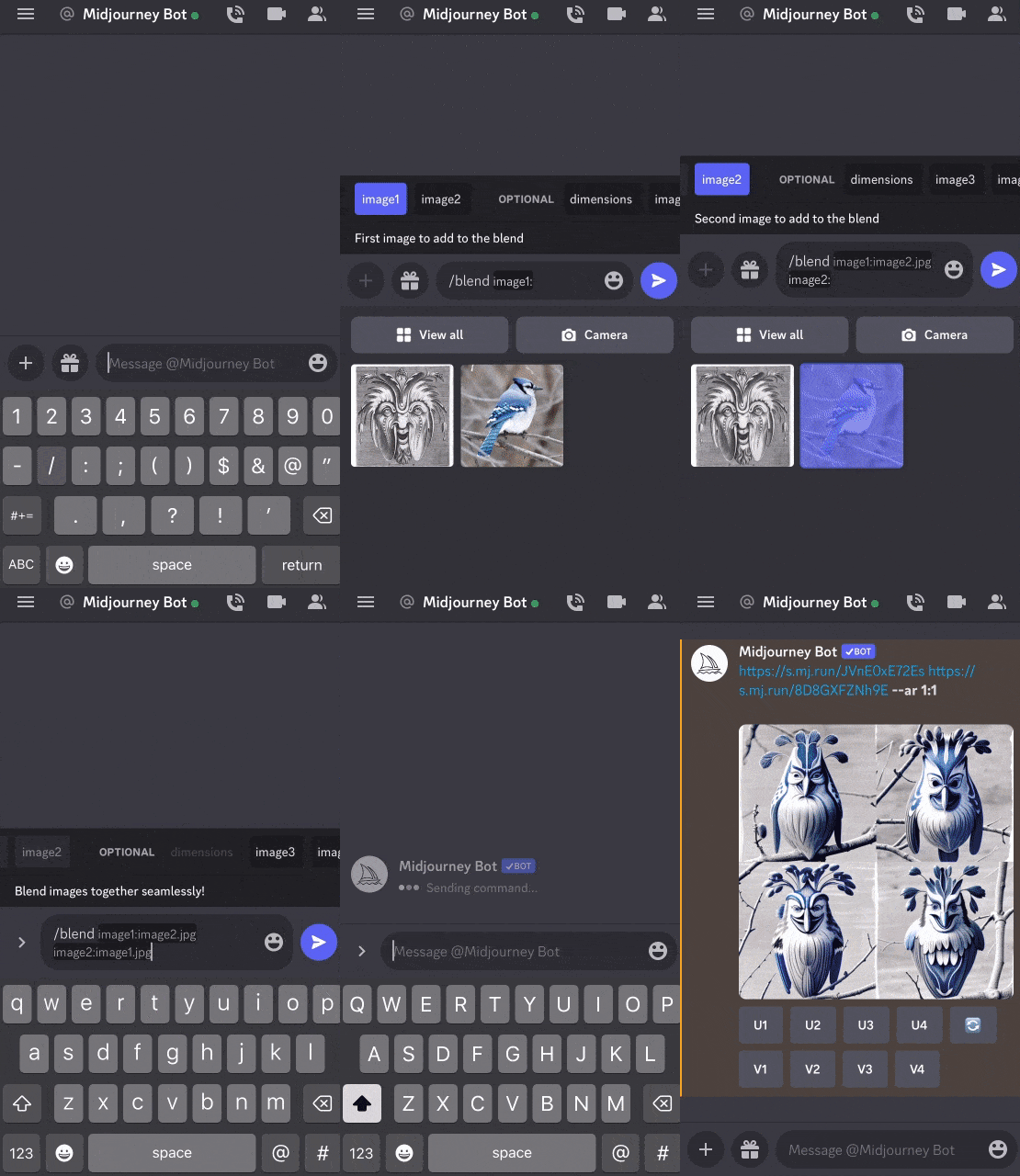
    Midjourney Blend Command

    /stealth: Switch to Stealth Mode if you have a Pro Plan subscription.
    /public: Switch to Public Mode for Pro Plan Subscribers.
    /subscribe: Generate a personal link for a user’s account page.
    /settings: View and change the settings for the Midjourney Bot.
    /prefer option: Make or manage a customized option.
    /prefer option list: View your existing custom options.
    /prefer suffix: Set a suffix to append to the end of each prompt.
    /show: To regenerate the Job within Discord, use an image Job ID.
    /relax: Switch to Relax mode.
    /remix: Toggle Remix mode.
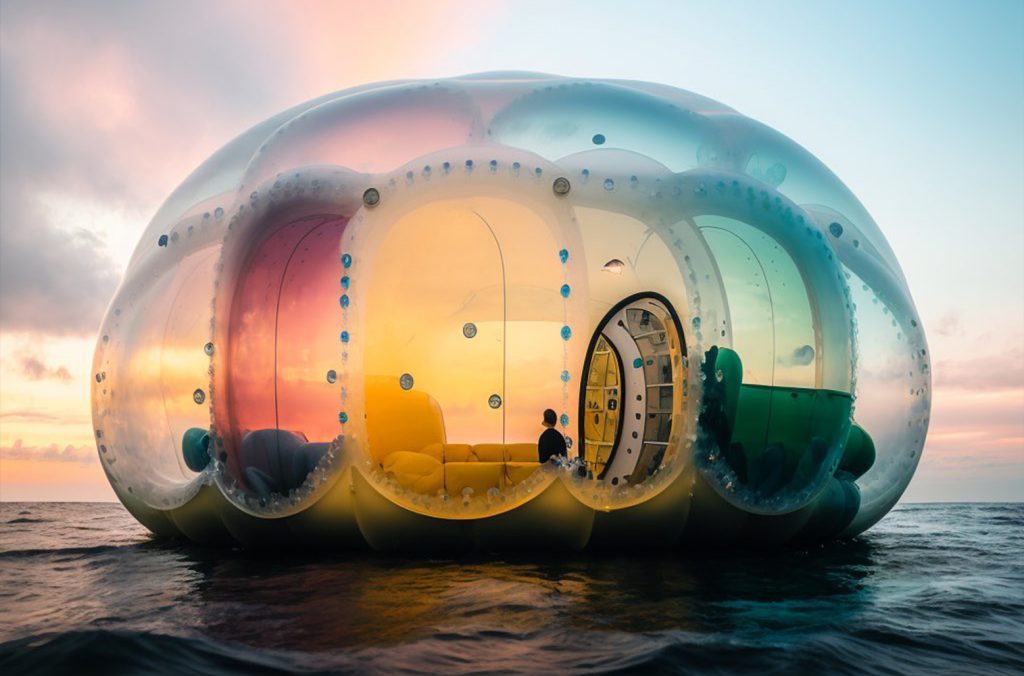
    Shail Patel

    Here are the advanced parameters you can use with the “/imagine” command.

    beta: works with an experimental algorithm for generating images.
    hd: An older algorithm for generating higher-resolution images.
    aspect/-ar: Generates images with a specified aspect ratio.
    w: Specifies the width of the image.
    h: Specifies the height of the image.
    seed: Specifies the seed value for image generation.
    sameseed: Uses the exact seed value for all generated images.
    no (e.g., -no plants): Bans a specific element from the image.
    iw: Sets the image prompt weight.
    stylize: Specifies the strength of the image style.
    q: Adjusts the image quality.
    chaos:
    Controls the randomness of the image.
    fast: Generates images faster with less consistency and lower costs.
    stop: Stop the process of generating the image.
    video: Saves a progress video of the image generation.
    v <1 or 2>: Uses an older algorithm for the last improvement.
    uplight: Use the “light” more upscale to generate images.
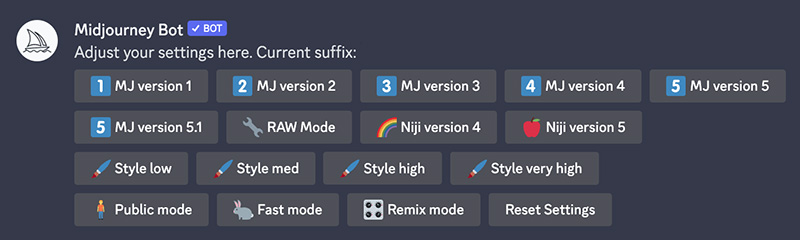
    Midjourney Settings

    Custom Preferences: You can customize options by using “prefer” commands to add frequently used parameters to the end of prompts automatically.

    /prefer auto_dm: Jobs completed are automatically sent to Direct Message.
    /prefer option: Make or manage a customized option.
    /prefer option list: View your existing custom options.
    /prefer suffix: Set a suffix to append to the end of each prompt.
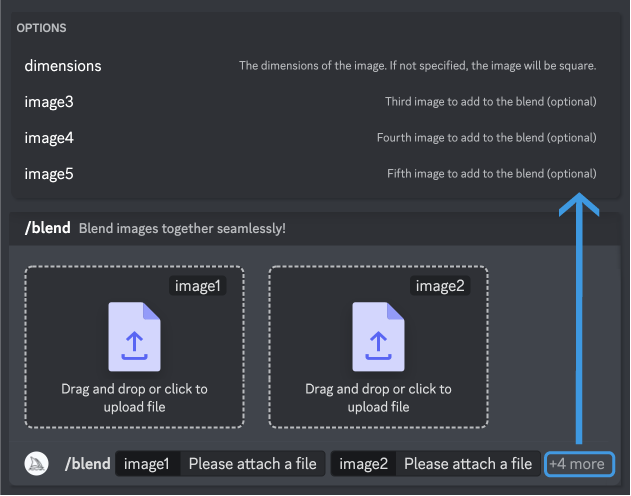
    Midjourney Blend Interface

    Describe: You can use the “/describe” command to upload an image and get four potential prompts based on it. This feature is great for discovering new vocabulary and aesthetic styles.

    The /describe feature generates prompts that inspire and guide, but it cannot replicate an uploaded image precisely. Additionally, it provides the aspect ratio for uploaded images.

    Blend: With the “Blend” command, you can effortlessly upload 2 to 5 images, and our system will analyze the concepts and aesthetics of each image to create a unique and original one.

    The /blend feature functions similarly to the /imagine feature, but it has been optimized for mobile devices for improved ease of use when incorporating multiple image prompts.

    You can use up to 5 images with /blend. If you need to use more than five images, you can use image prompts with /imagine.

    If you want to use both text and image prompts, please note that /blend does not support text prompts. Instead, you can use image prompts and text using the /imagine command.

    Creating AI images with Midjourney: A step-by-step guide
    A detailed guide to writing best prompts for Midjourney
    ai architecture AI design AI in Architecture artificial intelligence Bot Discord GEN guide Image blending Midjourney midjourney ai midjourney architecture midjourney artwork midjourney design Prompt generation Relax mode Stealth Mode User settings
    Share. Facebook Twitter Pinterest LinkedIn Tumblr Email
    adminparamet
    • Website

    Related Posts

    10 Heritage Restoration Projects Giving Historic Buildings a New Life

    July 23, 2026

    External Reference’s Deportienda Features a Massive 3D-Printed Wave Inspired by the Atlantic

    July 23, 2026

    Soundscape in Architecture: Designing Through Sound

    July 23, 2026
    Add A Comment
    Leave A Reply Cancel Reply

    Demo
    Top Posts

    Design Reviews Are Moving Beyond Still Images and Animations. D5 3.1 Shows What’s Next.

    July 23, 20268 Views

    15 Picturesque Neighborhoods Around the World Every Design Lover Should Visit

    July 23, 20262 Views

    tetsstststtt

    July 23, 20261 Views

    MVRDV Designs Urban Revivo’s Beijing Flagship Store in Sanlitun

    July 23, 20261 Views
    Don't Miss

    tetsstststtt

    By adminparametJuly 23, 2026

    Soundscape in Architecture: Designing Through Sound

    July 23, 2026

    MVRDV Wins Shift Embassy Competition with Rotterdam ROCKS!

    July 23, 2026

    Shanghai’s Pollinator Machine Installation Brings Ancient Evolution to Life

    July 23, 2026
    Stay In Touch
    • Facebook
    • Twitter
    • Pinterest
    • Instagram
    • YouTube
    • Vimeo

    Subscribe to Updates

    Get the latest creative news from SmartMag about art & design.

    Demo
    About Us
    About Us

    Your source for the lifestyle news. This demo is crafted specifically to exhibit the use of the theme as a lifestyle site. Visit our main page for more demos.

    We're accepting new partnerships right now.

    Email Us: [email protected]
    Contact: +1-320-0123-451

    Our Picks

    tetsstststtt

    July 23, 2026

    Soundscape in Architecture: Designing Through Sound

    July 23, 2026

    MVRDV Wins Shift Embassy Competition with Rotterdam ROCKS!

    July 23, 2026
    Most Popular

    Design Reviews Are Moving Beyond Still Images and Animations. D5 3.1 Shows What’s Next.

    July 23, 20268 Views

    15 Picturesque Neighborhoods Around the World Every Design Lover Should Visit

    July 23, 20262 Views

    tetsstststtt

    July 23, 20261 Views
    Facebook X (Twitter) Instagram Pinterest YouTube LinkedIn TikTok
    • Home
    • Buy Now
    © 2026 ParametricArchitecture. All Rights Reserved. By utilizing this website, you are consenting to our User Agreement, Privacy Policy, and Cookie Statement. In compliance with the privacy laws of Turkey and the United States, we recognize and respect your rights. Please be aware that we may receive commissions for products bought through our affiliate links. Unauthorized reproduction, distribution, or transmission of any material from this site is strictly forbidden without prior written permission from ParametricArchitecture.

    Type above and press Enter to search. Press Esc to cancel.

    Sign In or Register

    Welcome Back!

    Login to your account below.

    Lost password?